Table of Contents
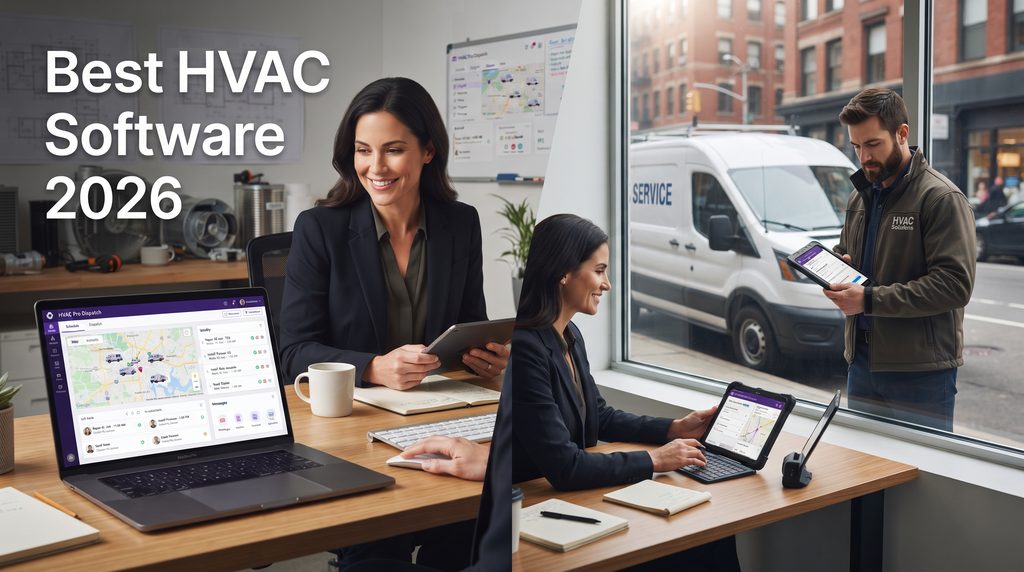
Running an HVAC company gets complicated fast. One emergency call can disrupt the schedule, a technician can arrive without the right customer history, and unpaid invoices can disappear behind the next busy day. The best HVAC software should reduce that chaos by connecting your office, technicians, customers, and payments in one workflow.
For most small and growing residential HVAC companies, Housecall Pro is our top overall pick. It combines scheduling, dispatching, estimates, invoicing, payments, a price book, job costing, customer communication, and field tools without immediately pushing a small company into enterprise-level complexity.
Jobber is a better fit for many solo operators and small crews. ServiceTitan is stronger for larger operations that need advanced dispatching and capacity planning. Workiz stands out for communication and automation, FieldEdge for QuickBooks-focused shops, and Service Fusion for teams that want unlimited users.
There is no universal best HVAC software. The right choice depends on team size, call volume, accounting needs, maintenance agreements, dispatch complexity, and how much software your employees will actually use.
Quick Answer: What Is the Best HVAC Software in 2026?
The best HVAC software for most small-to-midsize residential HVAC businesses is Housecall Pro. It covers the core workflow from booking and scheduling to dispatch, estimates, invoices, payments, job costing, and customer reviews. Its published Basic price currently starts at $59 per month when billed annually, and a 14-day trial is available.
| Software | Best for | Starting price* | Main strength |
|---|---|---|---|
| Housecall Pro | Best overall | $59/mo annually | Balanced all-in-one workflow |
| Jobber | Solo operators and small crews | $24/mo annually | Simplicity |
| ServiceTitan | Larger HVAC businesses | Quote/demo | Advanced operations |
| Workiz | Call-heavy growing teams | Free Lite; paid from $187/mo annually | Communication + automation |
| FieldEdge | QuickBooks-focused companies | Pricing inquiry | Accounting workflow |
| Service Fusion | Growing teams with many users | $208/mo annually | Unlimited users |
*Published pricing can change, and some features require higher plans or add-ons.
You can also browse the BizOpsPick Software hub or our software comparisons when narrowing your shortlist.
How We Chose the Best HVAC Software
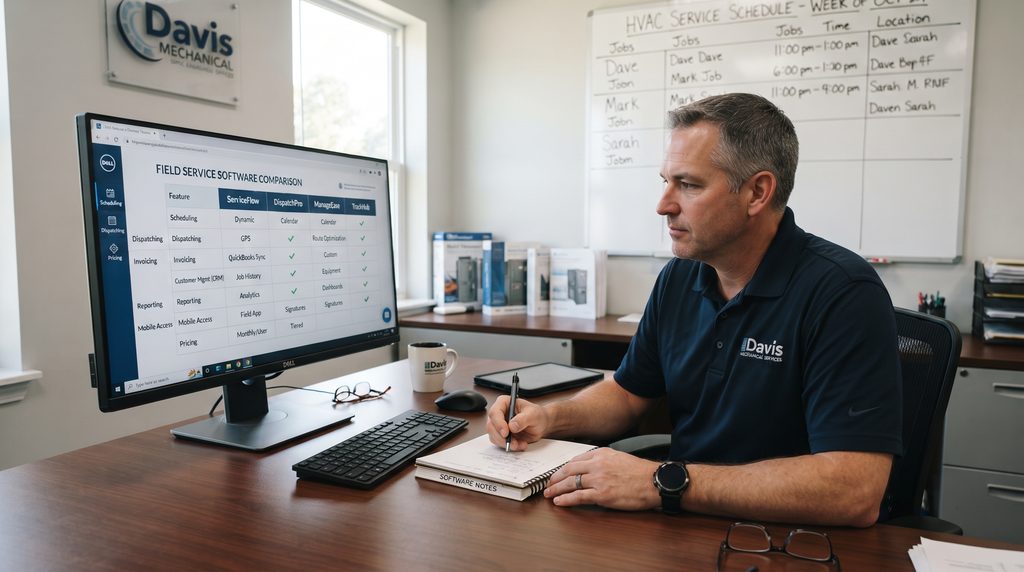
We did not choose the best HVAC software by counting features. We focused on the real workflow: booking calls, dispatching technicians, accessing job history, creating estimates, invoicing, collecting payment, and measuring performance.
We also considered pricing, mobile access, recurring work, customer communication, reporting, accounting integrations, automation, and team-size fit. The best HVAC software should remove expensive friction, not simply move paperwork onto a screen.
1. Housecall Pro — Best HVAC Software Overall
Housecall Pro is our best HVAC software pick for the typical residential HVAC business that has outgrown spreadsheets or basic calendars but does not need a heavy enterprise platform.
Its core toolkit includes online booking, scheduling and dispatch, estimates, invoices, payments, a price book, job costing, and review management. Higher plans add routes, flat-rate pricing, photo reports, GPS employee tracking, recurring service plans, sales proposals, route optimization, and deeper integrations.
That combination works well because one call can become a repair estimate, replacement opportunity, or maintenance relationship. Keeping it in one customer record helps the office and field team stay aligned. Housecall Pro also provides a deeper default price book for mechanical industries, including HVAC-related categories such as condensers, filters, and refrigerant services.
Housecall Pro pricing
Housecall Pro currently lists Basic at $59 per month billed annually or $79 monthly for one user. Essentials is $149 annually or $189 monthly with five users included. MAX is $299 annually or $329 monthly with eight users included.
The 14-day trial is useful because the best HVAC software on paper can still feel wrong once dispatchers and technicians test it during a real workday.
Pros
- Strong scheduling and dispatching
- Estimates, invoices, online payments, and financing
- HVAC-friendly price book
- Flat-rate pricing on Essentials
- QuickBooks Online sync on Essentials
- GPS and route tools
- Recurring service plans on MAX
Cons
- Advanced tools may require higher plans or add-ons
- Extra users can increase cost
- Complex commercial operations may need a deeper platform
Best for: Small and growing residential HVAC companies wanting a balanced all-in-one system.
External resource: Housecall Pro official pricing
2. Jobber — Best for Solo HVAC Contractors
Jobber is a strong choice when a company wants to organize the basics without creating a complicated office system. It handles online booking, scheduling, quotes, invoices, online payments, customer information, and reporting.
Higher plans add automated reminders, quote and invoice follow-ups, QuickBooks Online syncing, time and expense tracking, two-way SMS, job costing, workflow automations, lead tracking, marketing tools, and an AI receptionist.
For a one-van or small HVAC business, this simplicity can matter more than advanced enterprise features. The best HVAC software for a solo owner is often the system that is quick enough to use between calls.
The main trade-off is specialization. Jobber serves many home-service industries, so contractors needing advanced HVAC dispatch logic, complicated inventory, or deep commercial workflows may outgrow it.
Jobber pricing
Jobber currently advertises Core starting at $24 per month with annual billing for a single user. Connect, Grow, and Plus add more automation, features, and team capacity. Final pricing varies by team size and billing term.
Pros
- Easy to learn
- Strong quotes and invoicing
- Online booking and payments
- Useful follow-up automations
- QuickBooks Online on Connect
- Job costing and custom workflows on Grow
- Free trial
Cons
- Less HVAC-specific depth than specialized enterprise tools
- Many growth features require higher tiers
- Costs increase as team needs grow
Best for: Solo HVAC contractors and small teams moving away from manual admin.
External resource: Jobber official pricing
3. ServiceTitan — Best for Larger HVAC Companies
ServiceTitan is designed for a more complex operation. It becomes attractive when an HVAC company has several technicians, dispatchers, CSRs, sales processes, memberships, and managers who need deeper operational data.
Its HVAC platform includes scheduling, dispatching, technician tracking, customer and job history, work orders, billing, financing, marketing, memberships, reporting, and commercial-service features.
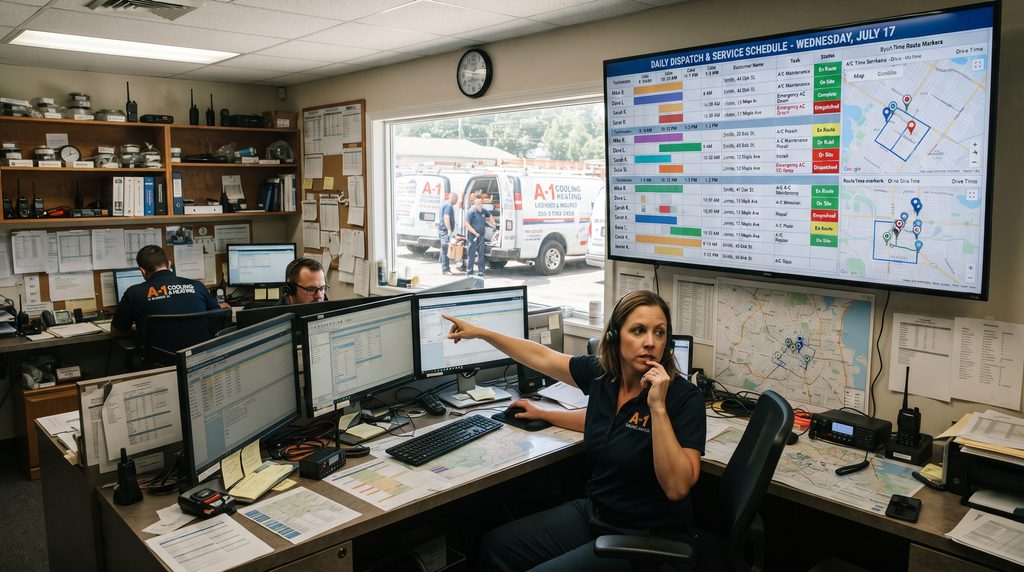
Dispatching is where ServiceTitan separates itself. It supports technician skills, adjustable capacity planning, route-aware scheduling assistance, real-time updates, job histories, customer notifications, and multi-day jobs.
The nearest technician is not always the right technician. Complex repairs may require different skills than routine maintenance, while larger shops must protect capacity during peak seasons. For those companies, ServiceTitan may be the best HVAC software because it helps managers optimize a larger operation rather than simply fill a calendar.
ServiceTitan pricing
ServiceTitan does not show a simple standard HVAC subscription price on the product pages we reviewed and instead directs buyers toward a demo. That makes it important to evaluate subscription costs, onboarding, required add-ons, training, and implementation together.
Pros
- Advanced scheduling and dispatch
- Skill-based assignment
- Capacity planning
- Detailed job history
- Membership and marketing tools
- Strong reporting
- Residential and commercial workflows
Cons
- No simple public starting price
- More complexity and training
- Likely excessive for many very small shops
Best for: Established HVAC companies that truly need advanced dispatching and operational control.
External resource: ServiceTitan HVAC software overview
4. Workiz — Best for Communication and Automation
Workiz is compelling for HVAC companies where calls, leads, scheduling, and front-office follow-up create bottlenecks.
Its plans combine scheduling, estimates, invoices, payments, client management, a local number, automations, and a mobile app. Higher tiers add QuickBooks Online, location tracking, service areas, lead tracking, subcontractor management, more automations, performance pay, custom reports, and AI-assisted tools.
The best HVAC software should help a company win and manage work before a technician reaches the property. That makes lead handling and customer communication important parts of the buying decision.
Workiz pricing
Workiz currently offers a free Lite plan for up to two members, limited to 20 jobs, invoices, and estimates. Kickstart starts at $187 per month annually for the first three users, Standard at $229 for five, and Pro at $270 for five.
Pros
- Free entry plan
- Built-in communication tools
- Scheduling and payments
- Automation features
- QuickBooks Online on Standard
- Location and lead tracking
- AI tools on Pro
Cons
- Big price jump from Lite to paid plans
- Useful features are spread across tiers
Best for: Growing HVAC companies with communication-heavy workflows.
External resource: Workiz official pricing
5. FieldEdge — Best for QuickBooks-Focused HVAC Businesses
FieldEdge is particularly interesting for HVAC contractors whose office already revolves around QuickBooks.
Its platform includes invoicing, price books, flat-rate pricing, purchases, payments, quotes, customer management, history, SMS, forms, reminders, lead tracking, service agreements, and support for QuickBooks Online and Desktop.
The best HVAC software is not always the newest-looking platform. If replacing accounting workflows would create headaches, tight integration with the system your office already trusts can be more valuable.
FieldEdge also supports recurring service relationships through customer history and service-agreement tools, which is useful for HVAC businesses that want maintenance work to stay visible.
Its current public pricing page provides plan and feature comparisons but does not display simple dollar amounts in the information we reviewed, so contractors should verify their quote directly.
Pros
- QuickBooks Online and Desktop support
- Price book and flat-rate pricing
- Customer history
- Service agreements
- Lead management
- Customer communication
Cons
- Pricing requires direct evaluation
- Buyers should examine implementation and total cost closely
Best for: Established HVAC companies that prioritize QuickBooks and service-management depth.
External resource: FieldEdge official pricing page
6. Service Fusion — Best for Unlimited Users
Service Fusion uses a different pricing model from many competitors: every main plan includes unlimited users.
That can be valuable when technicians, dispatchers, managers, apprentices, and office staff all need separate accounts. A cheap per-user system can become expensive as headcount increases.
Starter includes customer management, estimates, jobs, scheduling and dispatch, payments, QuickBooks integration, invoicing, project management, reporting, and text alerts. Higher plans add job photos, inventory, job costing, integrated voice and text, API access, custom documents, eSign, customer portals, and recurring invoicing.
For a larger small business, Service Fusion can become the best HVAC software when predictable access costs matter more than having the cheapest one-user price.
Service Fusion pricing
Current annual pricing is $208 per month for Starter, $325 for Plus, and $533 for Pro. Month-to-month prices are $245, $382, and $627. All three include unlimited users.
Pros
- Unlimited users
- Scheduling and dispatch
- QuickBooks integration
- Estimates, invoices, payments, and reporting
- Inventory and job costing on Plus
- Month-to-month option without a long-term contract
Cons
- Expensive for a solo contractor
- Some features require higher plans or add-ons
Best for: Growing teams that want predictable pricing while adding more users.
External resource: Service Fusion official pricing
Best HVAC Software Comparison: Which Should You Choose?
- Choose Housecall Pro if you want the most balanced option for a small or growing residential HVAC company.
- Choose Jobber if you are solo or have a small crew and want a simpler system.
- Choose ServiceTitan if advanced dispatch, capacity planning, reporting, and larger-team management justify enterprise complexity.
- Choose Workiz if calls, leads, communication, and automation are major priorities.
- Choose FieldEdge if QuickBooks is central to your operation.
- Choose Service Fusion if many employees need logins and unlimited users could save money.
- The best HVAC software is the one whose strongest features match your most expensive operational problem.
- For more buying frameworks, visit the BizOpsPick Guides.
Features the Best HVAC Software Should Have
Scheduling and dispatching
The best HVAC software should let office staff see availability, assign jobs quickly, reschedule work, and communicate changes to technicians. HVAC schedules change constantly because of emergency calls, delays, traffic, parts, and jobs taking longer than expected.
Mobile field access
The best HVAC software should let technicians see addresses, customer details, service history, job notes, and estimates without calling the office.
Estimates, invoices, and payments
Creating an estimate in one tool, an invoice in another, and tracking payment somewhere else creates unnecessary work. The best HVAC software should shorten the path from diagnosis to payment.
Customer and equipment history
The best HVAC software should preserve past repairs, equipment details, estimates, and maintenance history so technicians arrive with useful context.
Maintenance agreements
If recurring plans matter, the best HVAC software should clearly handle creation, billing, renewals, and customer status.
Price books and flat-rate pricing
Consistent pricing becomes more important as more technicians sell work. A structured price book can help the company present repair and replacement options consistently.
Reporting
The best HVAC software should answer useful questions. Which jobs are profitable? Which estimates close? Which technicians are productive? Where do leads come from? Which services have the best margins?
Integrations
The best HVAC software should connect cleanly with the accounting, payment, financing, phone, and marketing tools your team already relies on.
How Much Does HVAC Software Cost?
Published prices for small-company tools can start below $30 per month with annual billing. Growing-team platforms often cost a few hundred dollars per month, while larger systems may require custom pricing.
Do not compare only the advertised starting price. The best HVAC software for your budget is the plan that includes what you actually need.
Calculate user fees, add-ons, implementation, payment processing, phone features, data migration, training, and any required premium tools. A $59 plan with several add-ons can cost more than a $200 plan that includes the features your team uses.
Common HVAC Software Buying Mistakes
- Buying for a future company. Do not buy a 30-technician system because you hope to reach 30 technicians someday. Choose the best HVAC software for the business you run now, with sensible room to grow.
- Ignoring technician adoption. A perfect office dashboard is useless if technicians hate the mobile workflow. Let real employees test the product.
- Comparing feature lists instead of workflows. Ask how many steps it takes to schedule, dispatch, estimate, invoice, and collect payment.
- Testing only the happy path. During a demo, simulate an emergency call, a late technician, a reschedule, an estimate approval, a recurring visit, and an unpaid invoice.
Frequently Asked Questions
What is the best HVAC software for a small business?
Housecall Pro and Jobber are two strong options. Housecall Pro offers a broader HVAC-friendly growth toolkit, while Jobber is especially attractive for owners who prioritize simplicity. The best HVAC software depends on team size, workflow, and required features.
What is the best HVAC software for a solo contractor?
Jobber is a strong solo option because its entry pricing is relatively low and it covers scheduling, quotes, invoices, payments, and customer management. Housecall Pro is worth comparing if you want more HVAC-oriented growth features.
What is the best HVAC software for a large company?
ServiceTitan is one of the strongest choices for larger HVAC companies because it offers advanced dispatching, technician-skill matching, capacity planning, memberships, and reporting. Larger businesses should compare total implementation and subscription costs before deciding.
Does HVAC software work with QuickBooks?
Yes. Housecall Pro and Jobber support QuickBooks Online on qualifying plans. FieldEdge supports QuickBooks Online and Desktop, while Service Fusion includes QuickBooks integration. Confirm the exact accounting version and sync behavior your company needs.
Is there free HVAC software?
Workiz currently has a Lite plan for up to two members, although it limits jobs, estimates, and invoices. Several paid competitors offer free trials instead. A free plan may work for a tiny operation but can become restrictive as job volume grows.
How do I choose the best HVAC software?
Start with the operational problem costing you the most time or money. Compare two or three products on scheduling, dispatch, mobile use, estimates, invoicing, customer history, reporting, integrations, and real pricing for your team. The best HVAC software is the one that solves those needs with the least unnecessary complexity.
Final Verdict
For most small and growing residential contractors, Housecall Pro is our best HVAC software choice for 2026. It offers a strong mix of usability, dispatching, field tools, pricing functions, customer communication, and room to grow.
Jobber is the simpler alternative for solo contractors and small crews. ServiceTitan is the better fit when a larger company genuinely needs advanced dispatch and operational depth. Workiz is strong for communication and automation, FieldEdge for QuickBooks-centered operations, and Service Fusion for unlimited users.
The best HVAC software is not the product with the biggest feature list. It is the one that removes the most friction from booking, dispatch, field work, billing, and follow-up without making your team fight the system every day. That is what the best HVAC software should accomplish.
Shortlist two or three platforms, calculate the real monthly cost for your team, and run the same real-world workflow through each trial or demo before committing.