
BizOpsPick buyer’s guide · US field service
Garage door software for small shops
Start with Jobber if your main problem is getting estimates, visits and invoices out of a notebook. Compare Workiz if the office juggles urgent calls and multiple technicians. Put FieldPulse on the shortlist if a second technician needs to find the exact opener and its warranty history on a return visit.

Affiliate disclosure. BizOpsPick may earn a commission through the Jobber and ServiceTitan referral links. Read our disclosure.
Match the software to the problem you pay for most
All four platforms cover core field-service work. The buying decision changes when you need coverage dates attached to an installed unit, physical counts by truck, or a dealer-specific sales workflow.
- Repair jobs and basic paperwork
- JobberQuote, schedule and invoice from one place. Keep a deliberate property and job-note routine for callbacks.
- Busy dispatch and truck stock
- WorkizCompare its scheduling and mobile job tools. Quote Ultimate if equipment history, quantity tracking or purchasing is essential.
- Installed equipment and service history
- FieldPulseUse the demo to prove a returning technician can pull up the right asset and prior work from the job.
Consider ServiceTitan if you already need more complex dispatch, a controlled pricebook and purchasing, or you are a Clopay dealer with a reason to use MyDoor.
Illustrative scenario
The broken-door call that comes back six weeks later
A homeowner calls about a struggling garage door. The first technician makes a diagnosis, quotes a repair and a replacement option, and the homeowner approves a new opener. Six weeks later it stops responding. A different technician gets the callback.
What must carry forward at each handoff
- Intake and dispatchLog the symptom and exact service address. Assign a technician and record the visit window.
- Estimate and approvalKeep the two options, the accepted scope, authorization date and any deposit on the job.
- Install and invoiceRecord the opener model and serial, the installation date, label photo, parts used and payment status.
- Open the callbackMake a separate visit tied to the original install or the same asset. Keep the original invoice intact.
- Hand off to a different techUse the technician’s real permissions. Find the asset and prior photos without calling the original installer.
- Close and document costsLog what failed, time and material used, who pays, and any manufacturer claim reference. Review coverage before billing.
Keep three records straight
A customer and address say where the job was done. An equipment record says which opener or door was serviced. An inventory record says which stock item left which location. A line on a paid invoice may answer one question without answering the other two.
For multiple doors at one address, record the bay, location or label as well as the serial. Keep manufacturer parts coverage and your own labor terms separate. Let an authorized person decide coverage from the original paperwork and the new diagnosis.
Compare garage door service software at the handoff
These are documented capabilities and practical checks for your demo. Product access, permissions, subscriptions and add-ons can change what the technician actually sees.
On a narrow screen, swipe the table sideways. With a keyboard, focus the table area and use the arrow keys.
| Buyer’s check | Jobber | Workiz | FieldPulse | ServiceTitan |
|---|---|---|---|---|
| Book, quote and collect | Scheduling, quote approval, invoices and online payments. Grow adds optional quote items. | Standard lists jobs, estimates, scheduling, invoices and online payments. Ultimate lists sales proposals. | Scheduling and dispatch, estimate-to-invoice workflow and FieldPulse Payments. Price the modules you need. | Core platform includes booking, dispatch, pricebook, mobile estimates and invoices. Verify payment terms. |
| Find past work on mobile | Client work tab and job notes with photos or files, subject to permissions. | Client jobs and files, job notes, mobile photos and invoicing. Workiz Pay required for in-app card or ACH collection. | Mobile job records, customer history and assets linked to service jobs. Test attachment retrieval as a field user. | Field Mobile documents adding equipment to a service location. Test history and photos with the intended field role. |
| Identify the unit on a callback | Manual job notes and, on eligible plans, property custom fields. Test two units at the same address. | Ultimate lists native equipment tracking. Help docs show model, serial, installation date and separate labor and manufacturer warranty fields. | Native asset records show model, installation date, warranty and linked work. Confirm asset module and seat access in writing. | Documented equipment records and separate warranty workflows. Have the vendor name the required account configuration and products. |
| Count and reorder stock | Use a separate ledger or an inventory integration if you need quantities by truck and replenishment. | Ultimate lists inventory and purchase orders. Check transfers and which events adjust quantities. | Published inventory tools include warehouses and serialized inventory workflows. Ask what is in the quote. | Documented inventory and purchasing tools. Quote modules and test receiving or returns at the actual stock location. |
What each option is worth testing for
Lean repair and installation teams
Jobber · Get the estimate out and the invoice paid
Core covers the basic quote, schedule and invoice workflow for one user. Connect adds checklists, quote and invoice follow-ups, and QuickBooks Online sync. Grow adds optional quote items for upgrades. For mutually exclusive repair and replacement offers, use separate estimates unless your test confirms the customer can pick only one. Use internal notes and attachments for installation photos and proof of work. On eligible plans, property custom fields can make a model or install date easier to find. For several doors, check whether the record stays clear when two units have work on different dates.
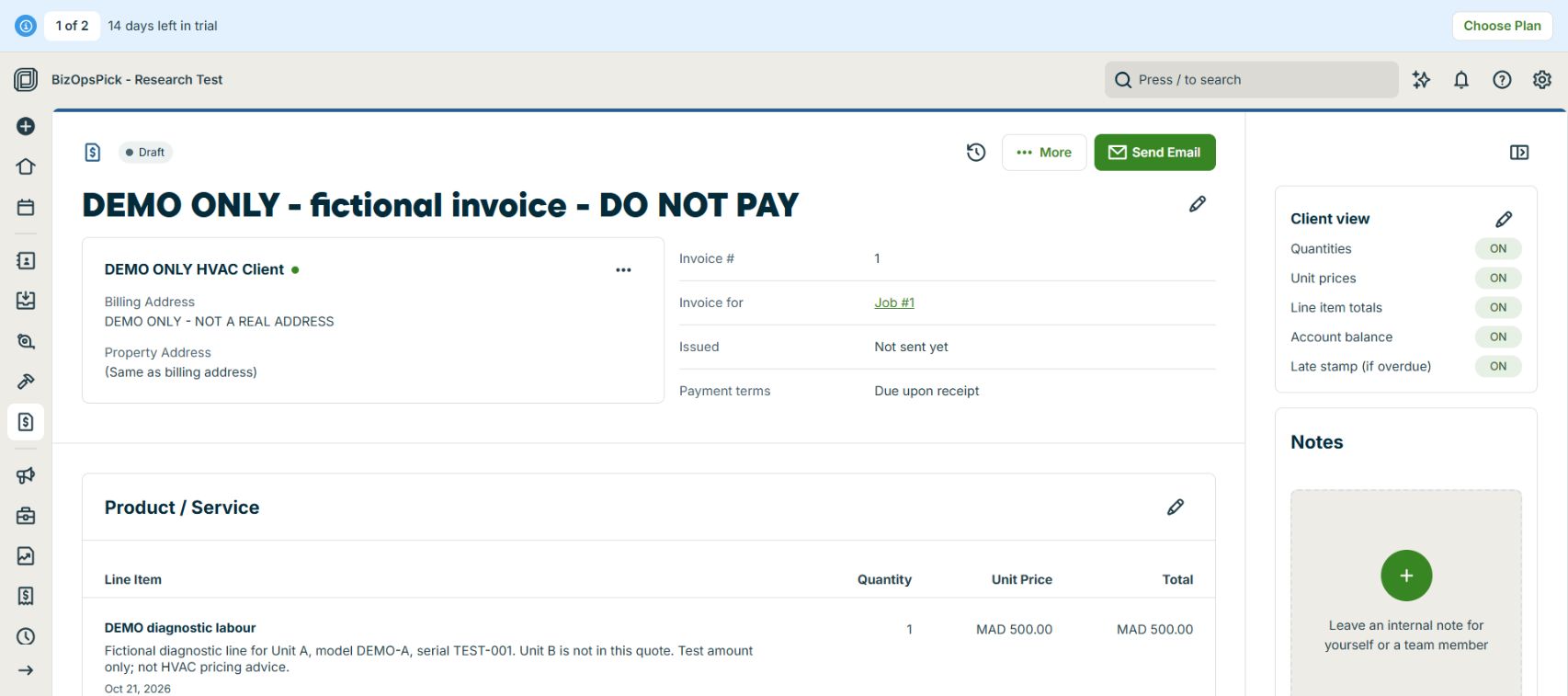
Jobber’s garage-door workflow and quote screens · BOP’s Jobber review · Example of a separate stock integration (inFlow beta)
Dispatch-heavy repair shops
Workiz · Put the roster and equipment in the same workflow
Standard has the scheduling, job, estimate and invoice basics. Mobile documentation shows a technician adding photos or notes to a job, creating an invoice and collecting payment with the appropriate setup. For a real installation history, look at Ultimate. Workiz documents creating equipment from a job or a client record, assigning it to an address, then linking later work to that equipment. Its separate labor and manufacturer warranty fields are particularly useful for the callback example.
Get the scope in writing. The current plan page lists inventory, flat rate, proposals, equipment tracking and purchase orders under Ultimate. Ask for itemized fees for phone and texting, QuickBooks, seats and implementation. During the demo, check whether a field-role user sees warranty details and previous job attachments from a reassigned visit. Do a stock transfer and a part return as well as a successful sale.
Workiz plan matrix · Workiz equipment screens · Mobile job walkthrough · BOP’s broader Jobber–Workiz comparison
Installers and maintenance-heavy teams
FieldPulse · Follow an installed asset through its service life
FieldPulse documents a customer asset with installation date, warranty, life-cycle status and jobs attached to it. Its asset templates are worth testing if you want every technician to enter the same details. Ask the vendor to put two openers at one address and attach the right one to both the installation and callback. Then check whether a tech can find the label photo and the signed approval without full customer billing access.
Quote the whole setup. FieldPulse calls its pricing seat-based. Ask for three prices separately if applicable: the mobile and office users, the asset and inventory scope, and onboarding or migration. FieldPulse’s customer agreement says files, attachments and images generally aren’t supported in its migration service. Keep a separate archive of warranty photos or agree in advance on how they will be linked to assets. Ask your bookkeeper to verify the QuickBooks edition and what syncs.
Asset records and vendor interface images · Inventory features · FieldPulse pricing approach · Migration and QuickBooks limitations
More complex operations and dealer workflows
ServiceTitan · Shortlist it when pricebook control and purchasing matter
The published packages include dispatch, scheduling, mobile estimates, invoicing and pricebook. The help center documents mobile equipment records at service locations and prompts for warranty-related equipment in a Pricebook Pro workflow. For Clopay dealers, ServiceTitan documents a MyDoor integration that requires account setup. If you use a different supplier, ask to see the equivalent estimate, order and parts handoff.
ServiceTitan packages · Field Mobile equipment screens · Pricebook Pro warranty workflow · Parts and purchase orders · Clopay MyDoor integration
What garage door software costs for one, four or six logins
Count each person who needs independent access, including the owner and dispatcher. One truck can still mean two logins. These examples use Jobber’s published US plan selector on November 20, 2026, and assume standard subscription prices before tax, transaction fees, onboarding and optional products.
On a narrow screen, swipe the table sideways. Annual prices below are prepaid.
| Example and included users | Annual prepaid | Monthly, 12-month commitment | Monthly, no commitment¹ |
|---|---|---|---|
| Solo operator · Core (1) | $29 × 12 = $348 | $39 × 12 = $468 | $49 × 12 = $588 |
| Owner, dispatcher and 2 techs · Connect (5) | $149 × 12 = $1,788 | $169 × 12 = $2,028 | $199 × 12 = $2,388 |
| Owner, dispatcher and 4 techs · Connect (10) | $229 × 12 = $2,748 | $259 × 12 = $3,108 | $299 × 12 = $3,588 |
¹ Illustrates 12 payments at the displayed rate. The four-person example leaves one included login. The six-person example uses the published 10-user configuration as a budget benchmark. Ask for the cost of adding one user to a smaller package if available. We could verify the tier prices but could not verify a universal current per-seat surcharge from the public selector.
The four-person team would pay $960 more per year prepaid for Grow with five users than for Connect ($229 vs. $149 per month equivalent). Price the upgrade if you actually need optional quote items or job costing. Jobber separately lists Pipeline at $49/month and Marketing Suite and Receptionist at $99/month each where sold as add-ons. They are excluded here. See BOP’s pricing worksheet for a complete-cost estimate.
Workiz, FieldPulse and ServiceTitan require a quote on their current public plan pages. For each written quote, add 12 months of the base subscription, required seats and modules, then add setup, training, migration and estimated payment fees. Ask for the renewal rate and minimum commitment. Compare a quote with the same capabilities and number of logins as your Jobber example.
Ask for this five-step demo before you subscribe
Use two fictional garage doors at one address, an office login and two different technician logins. Reuse the same test on every platform so you can compare the handoffs.
- Price both options. Load a few real catalog lines. Quote a spring repair and a replacement scenario, apply the correct tax setting for the sample job, and retain whichever option was approved.
- Move the appointment. Reassign the job, change the window and check that the new technician sees the notes, access instructions and updated scope.
- Close the install. Log the model, serial and label photo. Verify where the installation date and both warranty terms live. Create a sample invoice and check the deposit and remaining balance.
- Open a second job six weeks later. Switch to the other technician. Time how long it takes to find the right unit, its prior job and the approval. Record which steps needed an office login.
- Record a covered return. Keep the original paid invoice intact. Record labor and material, show a $0 customer charge for this fictional covered job, and verify how the part use and any manufacturer reimbursement would be recorded.
Give each step one mark: works in the quoted plan, requires another tool or manual step, or not shown. Ask the vendor to confirm in writing anything the demo cannot show. Leave the final step on your checklist even if callbacks are infrequent. It reveals how well the office and the field share the same history.
Garage door software FAQs
What software is a good fit for a small garage door repair business?
Jobber is a practical first trial if you need scheduling, estimates and invoices and can use consistent property and job notes for return visits. If multiple technicians need reliable unit-level history or you need truck-stock controls, test FieldPulse or Workiz Ultimate with the same fictional callback.
Can field technicians create garage door estimates and collect payments?
Yes, if the platform, plan and role support those actions. Jobber documents online quote approval and payment. Workiz shows mobile invoicing and requires Workiz Pay for card or ACH collection in the app. Have a field-role user show you the exact sequence and ask about processing fees, deposits and refunds.
What matters most in garage door scheduling and dispatch software?
Test the schedule change you see most often, such as fitting in a same-day call without losing an installation window. Have dispatch reassign the visit, then check whether the technician can see the new time, the approved work and the customer’s notes on a phone.
Can garage door software track serial numbers and warranty history?
Workiz documents model and serial fields plus separate labor and manufacturer warranty fields in its equipment records. FieldPulse documents assets with warranty information and linked jobs. Jobber can use notes and eligible custom fields. Verify serial search, mobile visibility and coverage details with your own sample records.
How should we log a warranty callback?
Open a new visit and link it to the installed unit or reference the original job ID. Record the reported symptom, eligibility decision, labor and parts cost, and any claim reference. Keep the old invoice available and charge or credit only after the office confirms who is responsible.
Does a small shop need inventory management from day one?
A repeatable parts list may be enough if one person orders against each job. Add a stock system if crews share parts across trucks, regularly count stock, or need to reconcile returns and purchase orders. Test one real stock transfer and one return before buying that feature.
How much does garage door business software cost?
Jobber lists one-user Core at $29/month equivalent prepaid annually or $49 monthly without a commitment. Connect for five users is $149/month equivalent prepaid annually or $199 monthly without a commitment. Workiz, FieldPulse and ServiceTitan currently require quotes. Compare written total costs for the same team and the features you actually need.
Make the purchase decision on one real handoff
Choose the simplest plan that lets your crew finish the work and another technician pick it up later. Start with Jobber if the main gap is paperwork. Go into a Workiz or FieldPulse demo with your two-door example if dispatch, stock or installed equipment drives the decision. Price ServiceTitan if your dispatch, dealer integration or purchasing workflow justifies a wider rollout.
For the next step, use BOP’s subscription cost worksheet or the dispatch testing method to compare a reassignment on the same terms.
How we evaluated the software. BOP reviewed current official US pricing, feature pages and product documentation and read operator discussions for real buying friction. The garage-door scenario and calculations are original illustrative analysis. The Jobber invoice is from a previous hands-on HVAC trial. We did not run the garage-door callback end to end in any platform, verify a manufacturer claim, or test technician permissions in a live garage-door workspace. Vendor demonstrations are linked beside the relevant claims.